Friday, February 09, 2007
SAP NetWeaver Application Server, Java EE 5 Edition
At the May 2006 JavaOne conference, SAP, together with other vendors, showcased a preview of the new Java EE 5-compliant SAP NetWeaver application server, which contained a subset of Java EE 5 specifications.
The JavaOne preview exemplified the server’s powerful capabilities and its adoption of plugins that are widely accepted by the Java community.
The server was accompanied by SAP NetWeaver Developer Studio based on the open-source development tools from Eclipse 3. It featured Eclipse Web Tools Platform (WTP) plug-ins for Web and Java development rather than SAP’s own proprietary tool solutions, highlighting the open-standards approach of the new application server.
Now, a fully compliant demo version, which has evolved beyond the JavaOne preview version to contain all Java EE 5 specifications, is available for download from the SAP Developer Network at https://www.sdn.sap.com/irj/sdn/downloaditem?rid=/library/uuid/cfc19866-0401-0010-35b2-dc8158247fb6. The new server is the predecessor for the next release of SAP NetWeaver and is designed to integrate seamlessly with previous SAP NetWeaver installations.
With the SAP NetWeaver Application Server (SAP NetWeaver AS), Java EE 5 Edition, you can develop Java EE applications based on the new Java EE 5 standard as well as migrate existing J2EE applications.

The JavaOne preview exemplified the server’s powerful capabilities and its adoption of plugins that are widely accepted by the Java community.
The server was accompanied by SAP NetWeaver Developer Studio based on the open-source development tools from Eclipse 3. It featured Eclipse Web Tools Platform (WTP) plug-ins for Web and Java development rather than SAP’s own proprietary tool solutions, highlighting the open-standards approach of the new application server.
Now, a fully compliant demo version, which has evolved beyond the JavaOne preview version to contain all Java EE 5 specifications, is available for download from the SAP Developer Network at https://www.sdn.sap.com/irj/sdn/downloaditem?rid=/library/uuid/cfc19866-0401-0010-35b2-dc8158247fb6. The new server is the predecessor for the next release of SAP NetWeaver and is designed to integrate seamlessly with previous SAP NetWeaver installations.
With the SAP NetWeaver Application Server (SAP NetWeaver AS), Java EE 5 Edition, you can develop Java EE applications based on the new Java EE 5 standard as well as migrate existing J2EE applications.
Labels: Java EE 5 Edition, NetWeaver, SAP, Web Application Server


Tuesday, February 06, 2007
SAP Collaboration - Groupware Integration
Groupware Integration refers to the integration of e-mails and the calendar from your groupware server, eg: Lotus Domino Server or MS Exchaneg Server. Groupware Integration provides an abstraction of different groupware applications and provides the necessary APIs for integration with SAP EP.
You can view this Powerpoint presentation for more introduction and technical/configuration details: https://www.sdn.sap.com/irj/sdn/go/portal/prtroot/docs/library/uuid/e2bea6e3-0601-0010-7aaf-9747246e31b2
You can view this Powerpoint presentation for more introduction and technical/configuration details: https://www.sdn.sap.com/irj/sdn/go/portal/prtroot/docs/library/uuid/e2bea6e3-0601-0010-7aaf-9747246e31b2
Labels: Collaboration, Groupware Integration, SAP
SAP Claims Management
SAP Claims Management is one of the most powerful offering for the insurance industry with lots of features, functionality, interfaces and a lot more. Many insurance companies are looking for a claims management software that could handle majority of their business processes like claims handling, regulatory reporting, payment management, handling negotiations & litigations and not to forget load balancing of claims being handled by claim adjusters.
While there are some claims solutions out there, SAP can offer the most powerful tools and functionality that would make the entire claims management a robust business activity. SAP Insurance solution has been widely acknowledged in the European countries till date and it has been gaining a lot of interest since its introduction to the US industry recently.
Please check out more details in SAP official website: www.sap.com or direct link here: http://www.sap.com/usa/industries/insurance/claimsmanagement.epx
While there are some claims solutions out there, SAP can offer the most powerful tools and functionality that would make the entire claims management a robust business activity. SAP Insurance solution has been widely acknowledged in the European countries till date and it has been gaining a lot of interest since its introduction to the US industry recently.
Please check out more details in SAP official website: www.sap.com or direct link here: http://www.sap.com/usa/industries/insurance/claimsmanagement.epx
Labels: Claims Management, SAP
Wednesday, December 20, 2006
What is mySAP CRM?
mySAP CRM stand for mySAP Customer Relationship Management. mySAP CRM is part of the mySAP Business Suite. It is a multi-channel package the provide functionalities support all customer-facing lines of business across marketing, sales, and service, as well as customer interaction channels.
Here are some business scenarios that CRM will cover, for instance:
You can refer to this link for more functional and technical documentation: http://help.sap.com/saphelp_crm50/helpdata/en/0d/02cc3e1cc6304fe10000000a114084/frameset.htm

Here are some business scenarios that CRM will cover, for instance:
- Marketing Management – i.e. campaign management, customer profitability analysis, digital asset management, scenario planning, survey analytics and etc.
- Sales Management – i.e. sales planning, account and contact management, lead and opportunity management, quotation and order management, contract management, incentive and commission management and etc.
- Interaction Center – it has Interaction Center for marketing, sales, sales order, management and services
- E-commerce – covers e-marketing, e-selling and –service
- Channel Management – account and contract management, campaign management with channel partner, lead and opportunity with channel partner, collaborative selling, partner management, quotation and order management for business-on-behalf.
You can refer to this link for more functional and technical documentation: http://help.sap.com/saphelp_crm50/helpdata/en/0d/02cc3e1cc6304fe10000000a114084/frameset.htm

Labels: SAP
Sunday, December 17, 2006
Book: Maximazing Web Dynpro for Java
I have been followed the Integrating Web Dynpro and SAP NetWeaver Portal Series written by Jochen Guertler published in SDN. In the series, he introduce this book - Maximazing the Wed Dynpro for Java. I have ordered this book, and I think this is really a good investment to have one if you want to understand more on this new UI technology in SAP.
This book has it all - everything you need to know in order to get the very most from your Web Dynpro applications - straight from the developers at SAP.
Based on interesting (and surprising) sample applications, such as GameStation, Google Search, and MusicBox, this unique reference helps you easily memorize the vast array of Web Dynpro for Java capabilities in an engaging and entertaining manner.
Readers learn about the dynamic creation of UI components and how to access web services and get details on the integration of Web Dynpro applications into SAP NetWeaver Portal, the componentization of applications, navigation options between different Web Dynpro applications, display techniques, and much more. An entire chapter is devoted to the installation, configuration, and administration of the Web Dynpro runtime. In addition, this comprehensive book provides you with many tips and tricks to increase the speed, security, and structure of your Web Dynpro applications, as well as key insights on troubleshooting and performance optimization.
You can order this book in SAP Press or Amazon.com
This book has it all - everything you need to know in order to get the very most from your Web Dynpro applications - straight from the developers at SAP.
Based on interesting (and surprising) sample applications, such as GameStation, Google Search, and MusicBox, this unique reference helps you easily memorize the vast array of Web Dynpro for Java capabilities in an engaging and entertaining manner.
Readers learn about the dynamic creation of UI components and how to access web services and get details on the integration of Web Dynpro applications into SAP NetWeaver Portal, the componentization of applications, navigation options between different Web Dynpro applications, display techniques, and much more. An entire chapter is devoted to the installation, configuration, and administration of the Web Dynpro runtime. In addition, this comprehensive book provides you with many tips and tricks to increase the speed, security, and structure of your Web Dynpro applications, as well as key insights on troubleshooting and performance optimization.
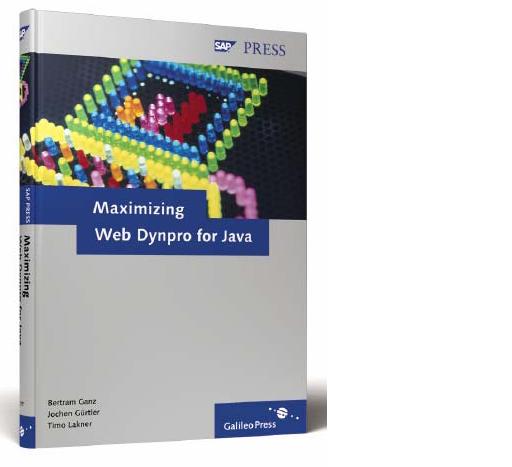
You can order this book in SAP Press or Amazon.com
Labels: Java, SAP, SAP Books, Web Dyndro Java
Friday, December 15, 2006
Introduction to SAP Employee Self Services
In the past few years, Employee Self Service (ESS) is getting popular and many corporations deployed this module.
What is it about? ESS implementation help to let employees responsible for maintaining their own personal information such as personal profile, vacations, sick leave, training and etc. In the past time, an employee used to make phone calls or filing up paper forms in HR Department to perform their personal information maintenance. But now, through the deployment of SAP ESS, it provides a simplified channel for the employee to access and maintain their personal information through web browser anywhere they like.
In SAP, there are two options for implementing ESS. You can implement through SAP Enterprise Portal or use a standalone solution with transaction PZM3 in SAP R/3. If a company had some investment on SAP portal technology for other functionalities, it is strongly recommended to implement the ESS through portal as it provides more unified platform for managers and employees that perform other tasks through portal.
So, what functionality ESS provide? Here is a summary list:
● Benefits and Payment
● Working Time
● Career and Job
● Employee Search
● Personal Data
● Travel Management
● Corporate Information
● Life and Work Events
You can also visit to this link for more information:
ESS in Personnel Administration
http://help.sap.com/saphelp_erp2005vp/helpdata/en/c5/0fab358b096510e10000009b38f839/frameset.htm
Business Package for Employee Self Services
http://help.sap.com/saphelp_erp2005vp/helpdata/en/c4/4f5a41a8f17743b15e15ebdeaa0c5d/frameset.htm
This is how ESS looks like in the portal.

What is it about? ESS implementation help to let employees responsible for maintaining their own personal information such as personal profile, vacations, sick leave, training and etc. In the past time, an employee used to make phone calls or filing up paper forms in HR Department to perform their personal information maintenance. But now, through the deployment of SAP ESS, it provides a simplified channel for the employee to access and maintain their personal information through web browser anywhere they like.
In SAP, there are two options for implementing ESS. You can implement through SAP Enterprise Portal or use a standalone solution with transaction PZM3 in SAP R/3. If a company had some investment on SAP portal technology for other functionalities, it is strongly recommended to implement the ESS through portal as it provides more unified platform for managers and employees that perform other tasks through portal.
So, what functionality ESS provide? Here is a summary list:
● Benefits and Payment
● Working Time
● Career and Job
● Employee Search
● Personal Data
● Travel Management
● Corporate Information
● Life and Work Events
You can also visit to this link for more information:
ESS in Personnel Administration
http://help.sap.com/saphelp_erp2005vp/helpdata/en/c5/0fab358b096510e10000009b38f839/frameset.htm
Business Package for Employee Self Services
http://help.sap.com/saphelp_erp2005vp/helpdata/en/c4/4f5a41a8f17743b15e15ebdeaa0c5d/frameset.htm
This is how ESS looks like in the portal.

Labels: SAP
Sunday, February 19, 2006
Download and Installation of Sneak Preview Version of SAP Netweavewer Package
To understand more on SAP Netweaver Portal, it is a good idea to download and install the Sneak Preview version of the SAP Netweaver 04 (the latest one is SP15).
To download this Trial Version, you can go to: https://www.sdn.sap.com/irj/sdn/downloads.
Just follow the installation guide in the installtion package.
Here I give you the list of items that you are going to install with the installton package.
1) SAP Web Application Server
2) SAP Enterprice Portal
3) SAP Content Mangement and Collaboration (not included TREX)
4) SAP Netweaver Developer Studio
5) SAP NetWeaver Development Infrastructure
6) SAP Composite Application Framework including Guided Procedures
7) Interactive Forms based on Adobe Software
Based on my own experience, although it is only required 1Gb RAM to run the portal, but I suggest you to have 2GB RAM in your system to install this. As you will see some undesirable result and waiting time to get some things load and execute by have just 1 GB RAM.
(especially when you have about J2EE engine, database, 3-5 portal browser with heavy memory execution, and your Netweaver Studio up running).
Good luck for the trial!
To download this Trial Version, you can go to: https://www.sdn.sap.com/irj/sdn/downloads.
Just follow the installation guide in the installtion package.
Here I give you the list of items that you are going to install with the installton package.
1) SAP Web Application Server
2) SAP Enterprice Portal
3) SAP Content Mangement and Collaboration (not included TREX)
4) SAP Netweaver Developer Studio
5) SAP NetWeaver Development Infrastructure
6) SAP Composite Application Framework including Guided Procedures
7) Interactive Forms based on Adobe Software
Based on my own experience, although it is only required 1Gb RAM to run the portal, but I suggest you to have 2GB RAM in your system to install this. As you will see some undesirable result and waiting time to get some things load and execute by have just 1 GB RAM.
(especially when you have about J2EE engine, database, 3-5 portal browser with heavy memory execution, and your Netweaver Studio up running).
Good luck for the trial!
Sunday, February 12, 2006
Introduction to Portal Content
We have been talking about the architeture of the portal. Now, let's me go inside the portal, and explain to you what kind of content structures we really see in the portal.
There are a few things that construct the portal content:
1) iView (we refer to this primarily)
2) Portal Page
3) Workset
4) Role
for delivery:
5) Business Package
An iView is basically an integrated platform for the web application to present contents.
A Portal Page can contain multiple iView the layout them in different positions. Worksets contain a set of portal pages and iViews that perform particular functional task, i.e. Executive Reporting function for executive group. While yo can assign a group of worksets to a role, then assign the role to an user so that he/she can see the contents of the worksets in the portal.
For delivery or content migartion, we can package all the objects (iViews, pages, worksets, and roles) in a unit call sda (software development archieve) as a Business Package.
(The print screen below will give you some idea on the explanation above.)
There are a few things that construct the portal content:
1) iView (we refer to this primarily)
2) Portal Page
3) Workset
4) Role
for delivery:
5) Business Package
An iView is basically an integrated platform for the web application to present contents.
A Portal Page can contain multiple iView the layout them in different positions. Worksets contain a set of portal pages and iViews that perform particular functional task, i.e. Executive Reporting function for executive group. While yo can assign a group of worksets to a role, then assign the role to an user so that he/she can see the contents of the worksets in the portal.
For delivery or content migartion, we can package all the objects (iViews, pages, worksets, and roles) in a unit call sda (software development archieve) as a Business Package.
(The print screen below will give you some idea on the explanation above.)

I will cover more on content administration in the future.


